
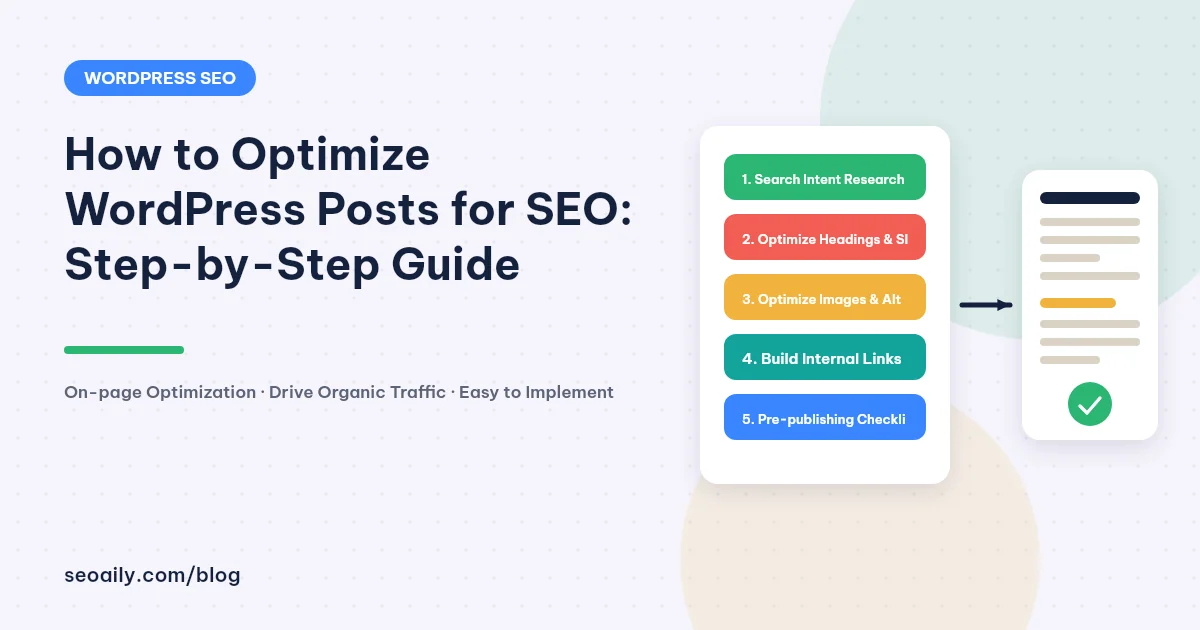
You hit publish on a thoroughly researched article in WordPress, expecting a wave of organic traffic. Weeks pass, yet the article remains buried on page four of Google search results. The issue is rarely the quality of your insights—it usually stems from a lack of technical on-page alignment that search engines need to parse and rank your content effectively.
Many creators publish draft content directly without fine-tuning their structural elements. Learning how to optimize wordpress posts for seo systematically allows you to transform raw drafts into highly competitive assets. This step-by-step guide covers the entire workflow from initial research to post-publication checks.
30-Second Summary
- Identify search intent clearly before writing your first sentence in WordPress.
- Standardize essential On-page elements: title tags, H1-H3 hierarchy, concise URL slugs, and image Alt text.
- Build a clean internal linking network to distribute ranking equity across your site.
- Audit for technical errors and duplicate text before hitting the final publish button.
Preparation Before Optimizing a WordPress Post
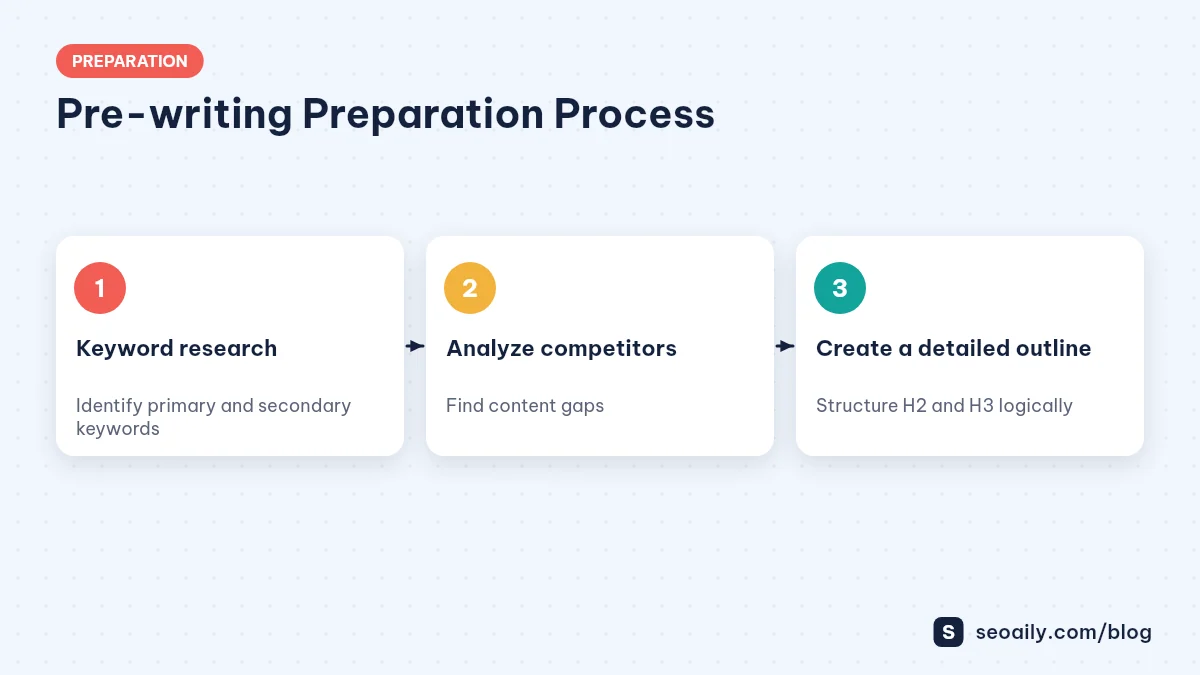
SEO optimization doesn't start inside the WordPress Gutenberg or Classic Editor. It begins during research and content planning. If you head in the wrong direction initially, technical adjustments later won't deliver the rankings you want.
Identify Your Target Keyword and Search Intent
Every search query represents a specific user need. When someone searches on Google, they might want a step-by-step tutorial, product comparisons, or immediate services. If a user seeks a practical guide and you deliver a sales pitch, your bounce rate will spike immediately.
Place your main keyword in strategic spots while maintaining a natural reading flow. Check out our documentation guides to learn how to organize keywords by topical clusters across your website.
Analyze Top Competitors for Content Gaps
Before writing, search for your target term on Google and analyze the top 3 to 5 ranking articles. Note what they cover well and what they leave unanswered. To rank higher, your content needs to offer added value that competitors missed.
A content gap might be a clearer real-world example, an infographic comparison, or a actionable step-by-step checklist. When you provide deeper insights, search engines reward your content's helpfulness.
Pro Tip: Don't just make your post longer for the sake of word count. Check community forums and user comments to address real questions that top-ranking articles overlooked.
7 Steps on How to Optimize WordPress Posts for SEO
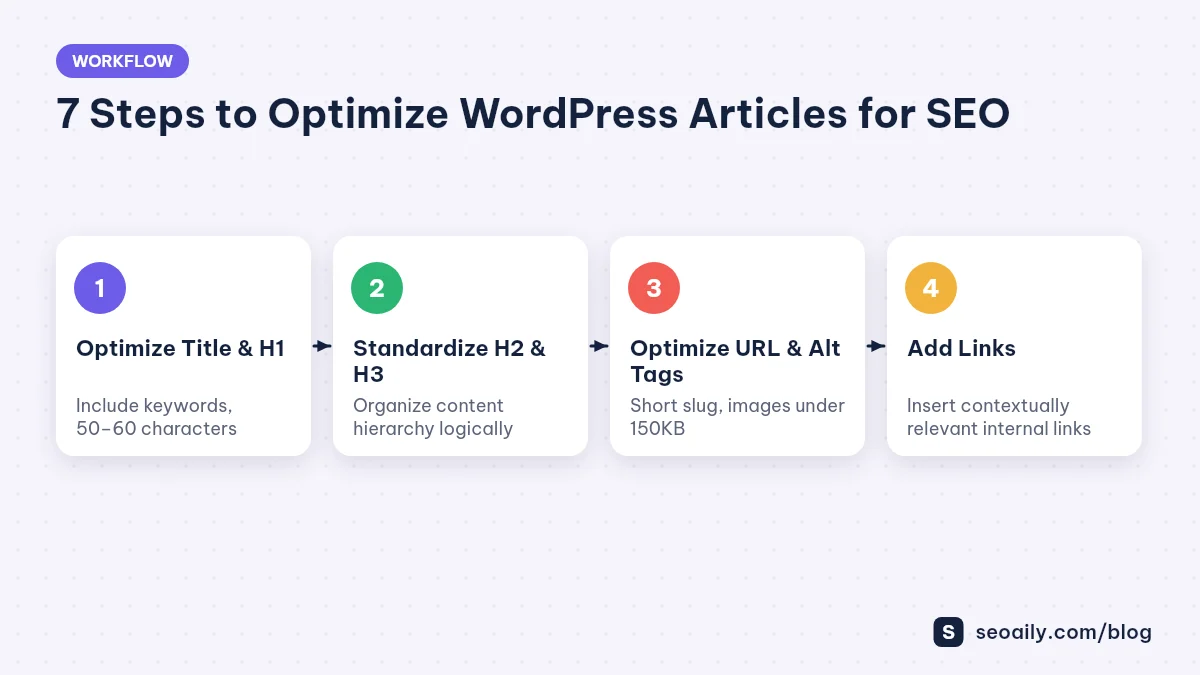
Once your content draft is ready, transfer it into your WordPress dashboard. Follow these 7 tactical steps to meet standard On-page requirements.
Optimize Title Tags and the H1 Heading
Your Title Tag is the first element users see on search engine result pages (SERPs), directly influencing Click-Through Rate (CTR). In WordPress, your post title defaults to the H1 heading. Ensure your primary keyword appears near the front of the title, and keep the length between 50 and 60 characters to prevent truncation on mobile devices.
A compelling title balances your focus keyword with a clear value proposition. Avoid clickbait titles that fail to deliver on the promises made to readers.
Structure Headings (H2, H3) and Meta Descriptions
Organize your body content logically using secondary headings from H2 down to H4. H2 tags introduce major topic sections, while H3 tags break down supporting sub-topics. According to the Google Search Central SEO Starter Guide, structured headings help search engine crawlers understand semantic relationships across your content.
Your Meta Description should summarize the article concisely within 140 to 160 characters. Include your target keyword naturally to encourage users to click through from search results.
Set Concise URL Slugs and Optimize Images
Your WordPress URL slug should be concise, lowercase, hyphen-separated, and include your focus keyword. Avoid default permalink structures containing dates or arbitrary numeric strings, which reduce clarity.
For visuals, compress image files below 150KB before uploading to maintain fast page load speeds. Use descriptive file names and always fill out the Alternative Text (Alt text) field for every image.
Build Strategic Internal and External Links
Internal links guide visitors through your website and distribute link equity between pages. Link to related posts naturally within context. For example, if you wonder how article length affects rankings, check out our analysis on Are 2,000-Word SEO Articles Still Effective? Practical Analysis to make an informed content decision.
Additionally, linking out to authoritative external sources helps Google verify the accuracy and credibility of your claims.
Action Item: Review your 3 latest WordPress posts and add at least 2 contextual internal links pointing to relevant older articles to increase dwell time.
WordPress Post SEO Optimization Reference Table
Use this reference table to double-check key technical requirements before publishing:
| On-Page Element | Technical Standard | Impact of Mistakes |
|---|---|---|
| Title Tag | Includes target keyword, 50-60 characters | Lower CTR, Google may rewrite your title display |
| URL Slug | Short, hyphenated, contains primary keyword | Unfriendly URLs, lower keyword relevancy signals |
| Image Alt Text | Accurately describes image content with keyword context | Google Images cannot index images, lost image traffic |
| Meta Description | 140-160 characters with clear call-to-action | Lower click-through rate from search result pages |
| Internal Links | 2-4 contextual links to relevant content | Higher bounce rates, harder for search crawlers to navigate |
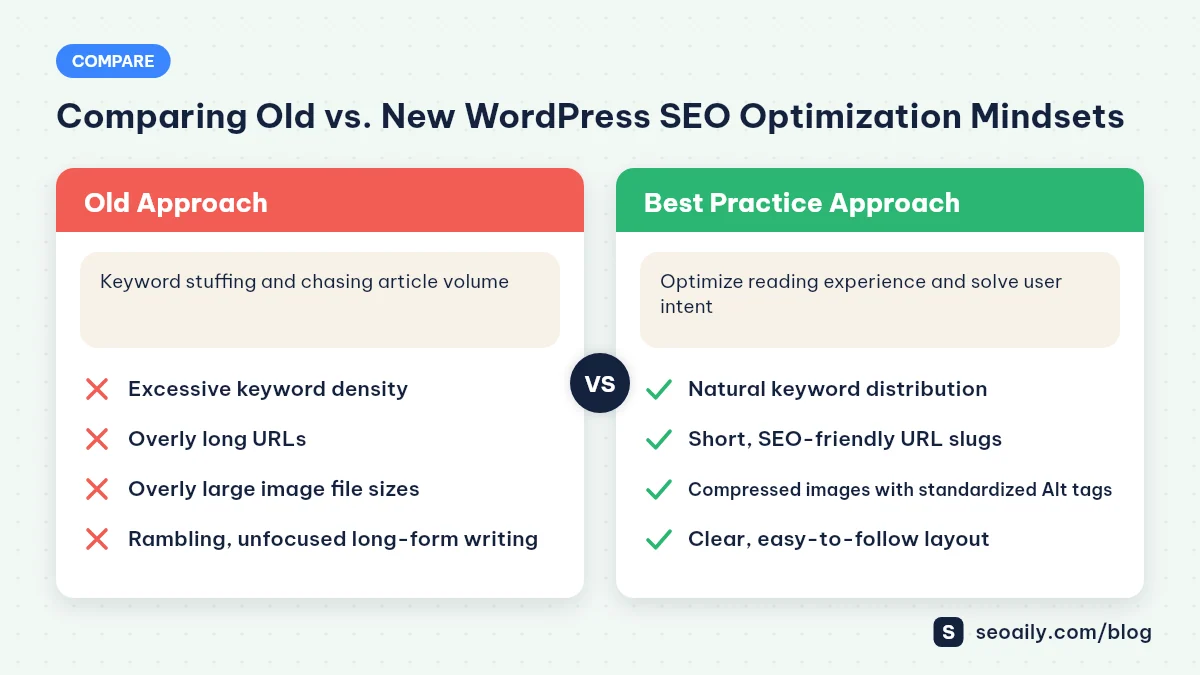
Here is how modern search engine optimization compares to legacy practices:
| Aspect | Legacy Approach (Stuffing) | Modern Approach (User Experience) |
|---|---|---|
| Keyword Density | Repeats main keywords unnaturally high percentage | Distributes keywords naturally using LSI & synonyms |
| Content Length | Inflates word count with repetitive text | Solves the reader's search intent completely and clearly |
| Post Structure | Places H2/H3 tags without logical hierarchy | Uses clear structural hierarchy, lists, and summary tables |
| Image Optimization | Uploads uncompressed raw files, skips Alt tags | Compresses images under 150KB, fills out SEO Alt text |
Standard SEO Post Template for WordPress
You can copy this standard post framework directly into your WordPress Gutenberg block editor when starting a new draft:
[H1] [Post Title with Target Keyword + Clear Reader Benefit]

[Intro: 2-3 short paragraphs introducing problem and solution]

[30-Second Summary Block: 3-4 bullet points]

[H2] 1. [Overview or Context related to Main Topic]
[H3] 1.1 [Sub-point detail A]
[H3] 1.2 [Sub-point detail B]

[H2] 2. [Step-by-Step Implementation Guide]
[H3] 2.1 [Step 1: Setup & Preparation]
[H3] 2.2 [Step 2: Core Execution]

[H2] 3. [Comparison Table or Pre-Publish Checklist]

[H2] 4. [Frequently Asked Questions]

[H2] 5. Conclusion: [Key Takeaway Summary + Call to Action]
5 Common Mistakes That Block WordPress Posts from Ranking
Even when following a workflow, publishers often hit roadblocks due to these common technical oversights:
- Skipping Image Alt Text: Uploading visual images while leaving file names as IMG_001.jpg and omitting Alt attributes prevents search engines from understanding image content.
- Using Overly Long Permalinks: Allowing WordPress to auto-generate long slugs based on full post titles results in clunky, unreadable web addresses.
- Publishing Duplicate Content: Reusing identical text snippets across multiple pages hurts your site quality. Read our guide on Checking Duplicate Content Before Publishing: A 5-Step Guide to clean your content before hitting publish.
- Overusing Bold and Underline Styles: Excessive formatting clutters the page layout and hurts visual readability for site visitors.
- Neglecting Mobile Responsiveness: Inserting fixed-width visual tables or wide images breaks mobile browser layouts.
6-Step Quick Checklist Before Hitting Publish
Run through this quick checklist inside your WordPress sidebar before making your article live:
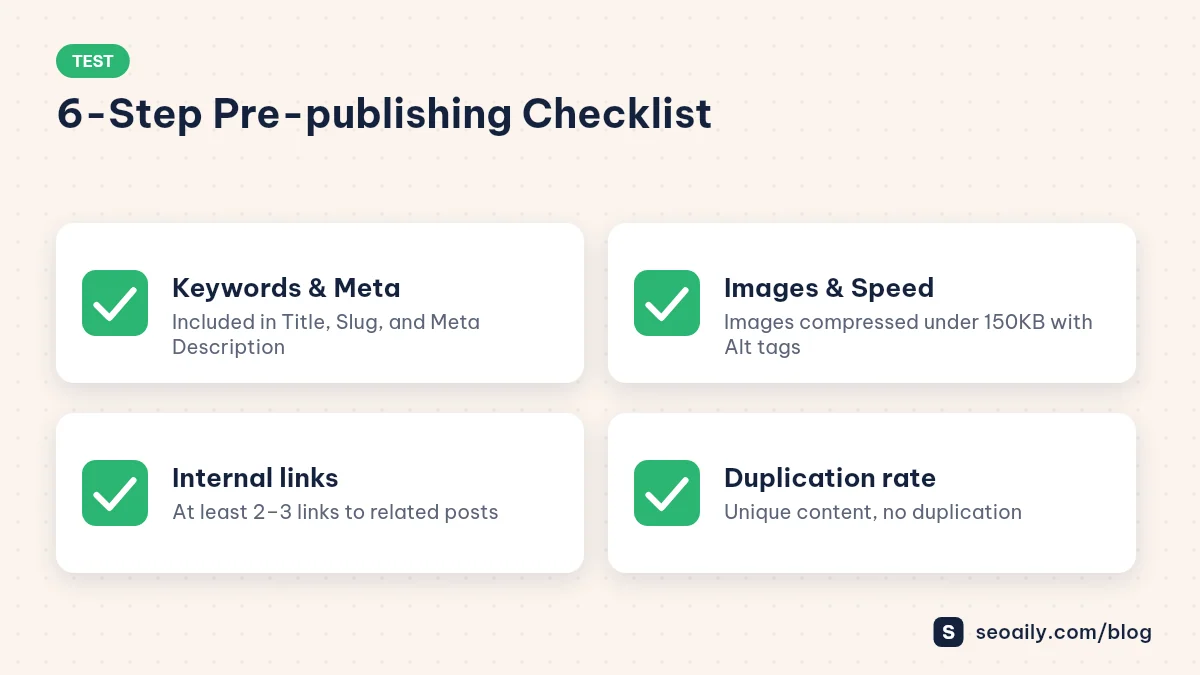
- Focus Keyword: Is it present in your H1 title, URL slug, Meta Description, and opening paragraph?
- Heading Hierarchy: Are your H2 and H3 tags ordered logically without skipping levels?
- Speed & Visuals: Are all images compressed and supplied with descriptive Alt text?
- Internal Linking: Does the draft contain 2 to 3 contextual links to related content on your site?
- Readability: Are paragraphs broken up into digestible chunks of 3-4 sentences max?
- SEO Plugin Checks: Have you reviewed your target score on Rank Math or Yoast SEO? Explore Seoaily plans to streamline your content auditing workflow.
Frequently Asked Questions
Which WordPress SEO plugin is the best?
Rank Math SEO and Yoast SEO are two of the most popular and effective plugins today. Both help you manage meta tags, generate XML sitemaps, and provide real-time on-page SEO scoring right inside the content editor. Choose the one that best fits your workflow.
How many internal links should a WordPress post have?
The ideal number of internal links depends on content length and context. Typically, a 1,500 to 2,000-word post should include 3 to 6 contextual internal links pointing to closely related articles. Avoid cramming links where they do not add value.
Should I change the URL slug of an older, published post?
If an older article already ranks well and receives steady traffic, avoid changing its URL slug. If modifying the URL is unavoidable for optimization, immediately set up a 301 redirect from the old URL to the new one to preserve SEO value and prevent 404 errors.
Does image Alt text need to match the primary keyword exactly?
Image Alt text should primarily describe what is shown in the image accurately. You can include your focus keyword or semantic variations if it fits naturally within the context of the image. Avoid keyword stuffing across all image Alt tags.
How can I get Google to index a new WordPress post faster?
After hitting publish, copy your post URL and open Google Search Console. Paste the URL into the inspection bar and click 'Request Indexing.' This alerts Google's crawlers to discover and render your new page faster.
Conclusion: Optimizing WordPress Posts Requires Consistency
Understanding how to optimize wordpress posts for seo systematically ensures consistent quality across your entire site. On-page optimization isn't about secret tricks—it's a set of deliberate technical habits designed to deliver superior reading experiences for both site visitors and search engines. Maintaining this discipline on every publish action will drive steady, long-term organic growth.
To save time and automate your on-page optimization workflow, leverage modern AI writing tools. Try our AI SEO writing tool to structure content around target keywords and score your optimization automatically. Create your account and test it out for free at https://app.seoaily.com/?lang=en#/app today.