
Every time you create a video, you likely type out the same tedious instructions for Claude: tone of voice, pacing, scene structure, and subtitle formatting. By your tenth video, you are still copy-pasting those rules from a notepad file—and invariably forgetting a line or two.
This repetitive overhead is exactly what claude skills are built to eliminate. This guide explains what Claude skills are, how they operate under the hood, where you can deploy them, and how to apply them to video workflows—from scripts and captions to YouTube descriptions.
30-Second Summary
- A skill is a directory containing structured instructions (a
SKILL.mdfile), optional templates, and executable scripts that Claude triggers whenever your prompt matches the skill's description.- Claude initially parses only the skill name and description; full instructions load on demand, letting you maintain dozens of skills without context window bloat.
- Skills work across the Claude web app, Claude Code CLI, and the API. Anthropic does not provide pre-built video skills, so you build custom skills tailored to your own pipeline.
- Claude cannot render video files directly, but it excels at text and code tasks: scripts, captions, metadata, and automated rendering scripts.
What Are Claude Skills?
According to Anthropic's Skills documentation, skills are modular packages containing instructions, scripts, and assets that Claude loads on demand to execute specialized tasks. Simply put: a skill is a standard operating procedure you write once, and Claude applies it automatically whenever relevant work arrives.
What Goes Inside a Skill?
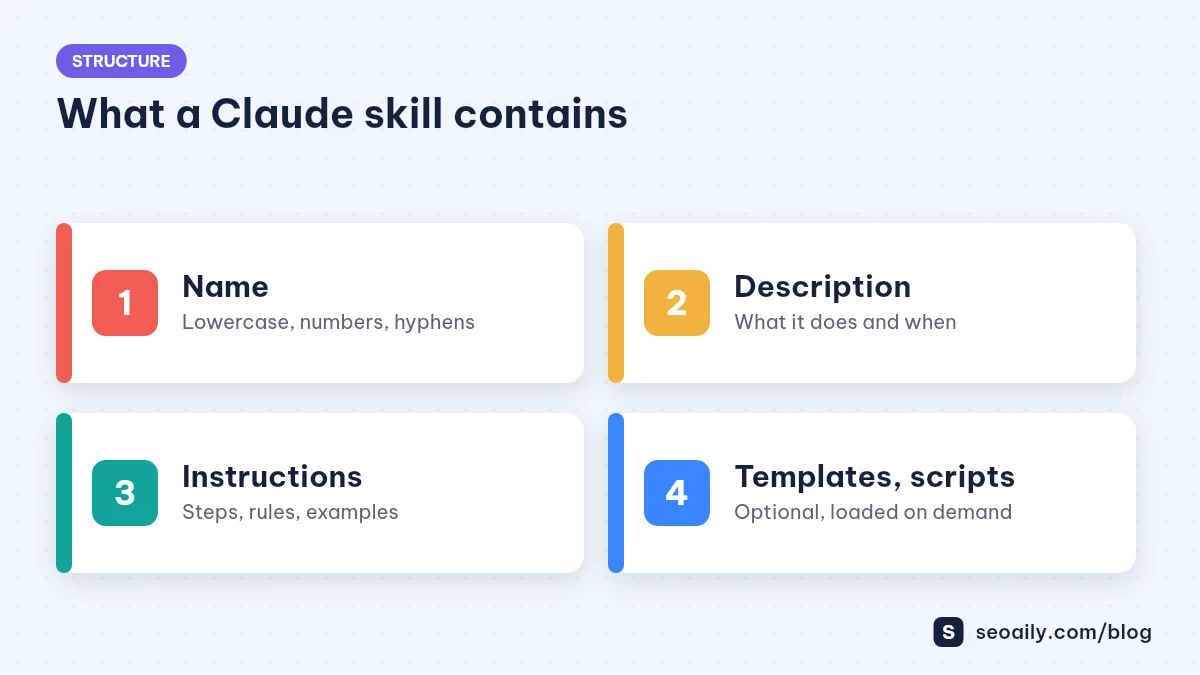
At a minimum, a skill is a folder containing a SKILL.md file. The file begins with YAML metadata (name and description), followed by detailed workflow instructions in markdown. You can also bundle reference documents, formatting templates, and executable scripts.
| Component | Role | Video Workflow Example |
|---|---|---|
| Name | Skill identifier (lowercase, numbers, hyphens) | youtube-video-script |
| Description | Explains what the skill does and when Claude should trigger it | Drafts hook-driven YouTube video scripts with visual cue breakdowns... |
| Instructions (SKILL.md body) | Step-by-step guidelines, constraints, and best practices | Opening retention rules, scene pacing, speaker tone |
| Templates & References | Expected output structures and gold-standard examples | Two-column script template, standard SRT subtitle format |
| Scripts (Optional) | Handles tasks requiring absolute precision | Script to validate character counts per subtitle line |
How Do Claude Skills Differ from Long Prompts?
A long prompt must be copied and pasted into every conversation, cluttering your context window right from the start. A skill is installed once. Claude inspects its lightweight metadata, recognizes when your task requires it, and loads the full instructions only when needed. Prompt engineering fundamentals still matter here, as detailed in our guide on writing effective AI SEO prompts.
How Claude Uses Skills Under the Hood
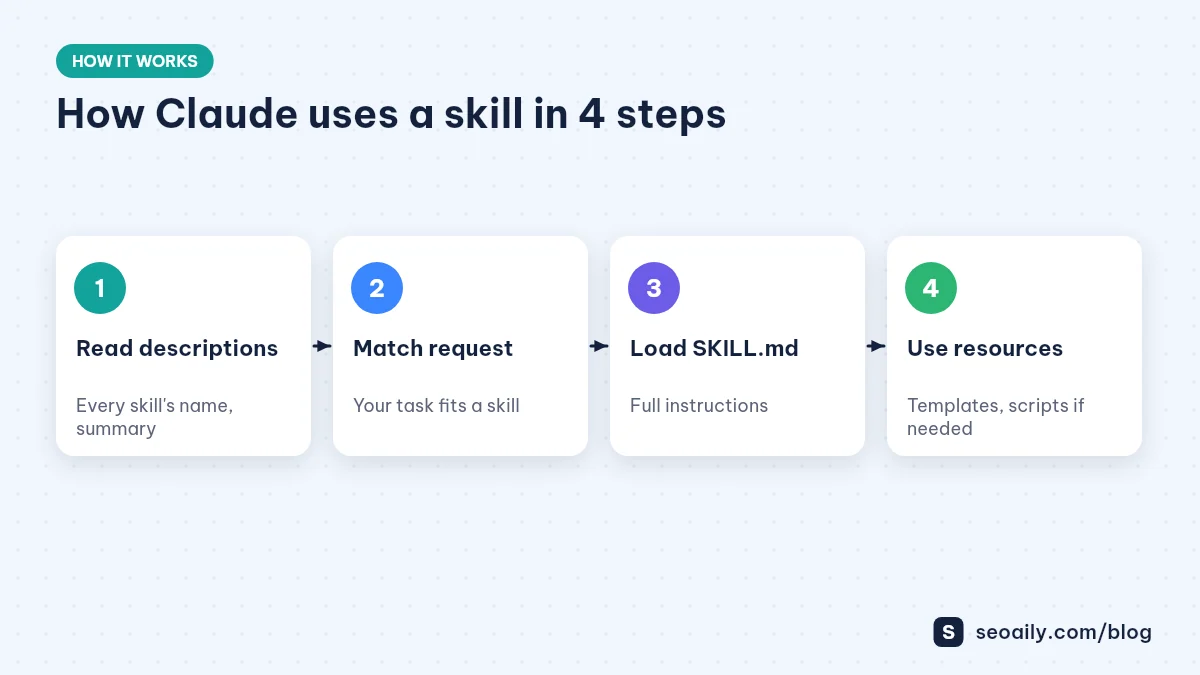
Anthropic utilizes progressive disclosure to manage context efficiency. Claude starts with high-level awareness of every installed skill by reading only their names and descriptions. Once your prompt aligns with a description, Claude loads the complete SKILL.md. Reference files and scripts execute only if the task explicitly requires them, as outlined in the official Agent Skills documentation.
Why the Skill Description Determines Everything
Claude relies strictly on the description field to decide whether to activate a skill. A vague description like "video helper" rarely gets invoked. A strong description clearly states what the skill does, the expected input, and the trigger keywords you naturally use, such as "script", "scene pacing", "YouTube video", or "short-form reel".
Actionable Tip: Review the last five prompts you used for video preparation. Highlight recurring phrases. Those exact keywords belong inside your skill's description field.
Where Can You Use Claude Skills?
Skills can run across three distinct environments. However, custom skills do not automatically synchronize between these environments; you must install them in each setup you use.
| Environment | Installation Method | Best For |
|---|---|---|
| Claude App (Web & Desktop) | Upload zipped skill package in settings (requires code execution enabled) | Content creators, marketers, no-code users |
| Claude Code (CLI) | Place folders in ~/.claude/skills/ (global) or .claude/skills/ (project) | Programmatic video pipelines, batch asset processing |
| Claude API | Deploy via Skills API endpoints for shared workspace usage | Custom app integration, automated backend workflows |
Plan tier availability for skills may evolve over time. Check Anthropic's official support portal for the latest account eligibility details.
Applying Claude Skills to Your Video Creation Workflow
While Claude cannot render MP4 files out of the box, the bulk of production time goes into pre-production and asset preparation: ideation, scene breakdowns, narration scripting, subtitle formatting, and publishing metadata. These structured, repetitive steps are perfect candidates for skills.
Essential Skills for Video Creators
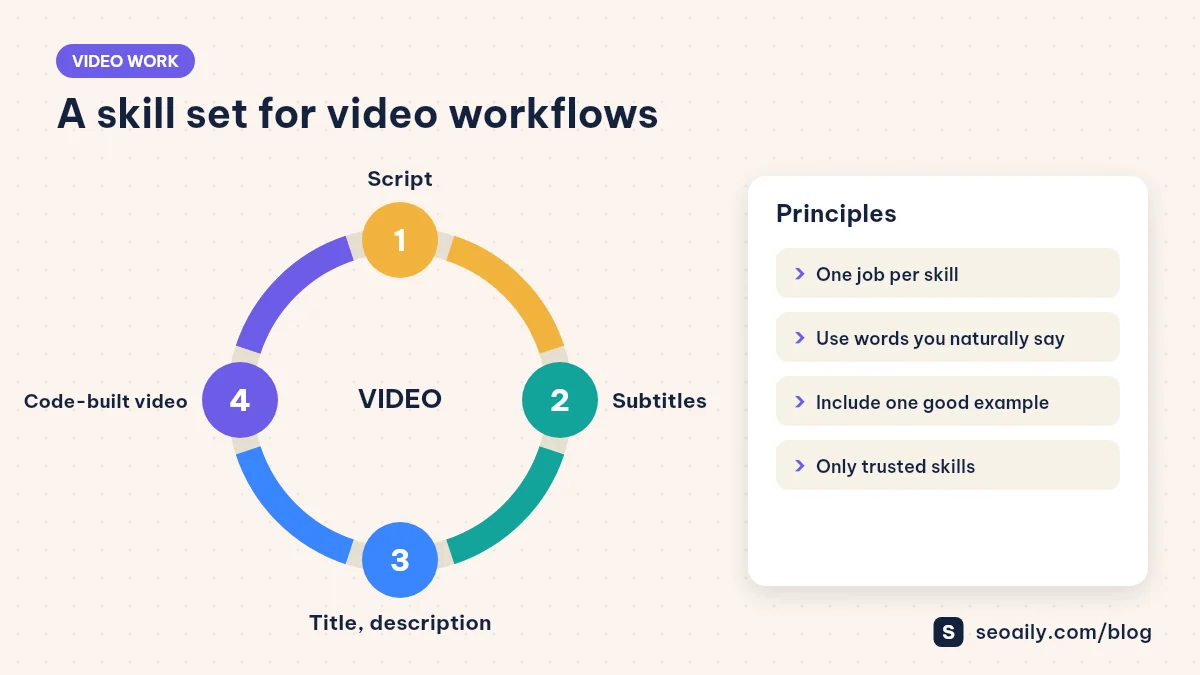
- Scriptwriting Skill: Generates retention-focused scripts with precise scene timings, visual notes, and audio hooks. For step-by-step prompt ideas, see our guide on using Claude for YouTube video scripts.
- Subtitle Formatting Skill: Converts raw voiceover text into properly formatted SRT/VTT captions with character-per-line and reading-speed limits.
- Metadata & SEO Skill: Writes CTR-optimized titles, search-friendly descriptions, and timestamped chapter markers based on your final script.
- Programmatic Video Skill: Generates Remotion or FFmpeg configuration code to assemble assets automatically inside Claude Code.
Pro Tip: Avoid building a single monolithic skill that attempts to handle everything. Smaller, specialized skills trigger more reliably, load faster, and are far easier to iterate on independently.
Workflow Example: Making a Video With vs. Without Skills
Consider a cooking channel producing three tutorial videos weekly. Without skills, the creator begins each session by pasting lengthy instructions into Claude: tone guidelines, narrative pacing rules, table layouts, and caption requirements. Because prompt adjustments vary from day to day, the three resulting scripts end up with noticeably different tones and structures.
With skills installed, the workflow shrinks to a single command: "Draft a 5-minute video script for authentic French onion soup aimed at beginners." Claude recognizes the intent, triggers the script skill, and loads the retention structure and table format automatically. Once approved, typing "generate subtitles for this script" activates the caption skill. The creator focuses entirely on unique recipe insights rather than repetitive formatting.
Beyond time saved, the biggest advantage is editorial consistency: every video adheres to brand standards without manual policing.
Security and Safe Skill Usage
Because skills can contain executable code and bash scripts, Anthropic recommends using only trusted skills—either those you write yourself or those provided by Anthropic. If you download a third-party skill package, inspect all markdown and script files thoroughly before installing. Treat installing a skill with the same caution as installing local software on your machine.
6 Common Mistakes When Starting with Claude Skills
- Vague descriptions: Generic summaries like "helps with videos" prevent Claude from understanding when to call the skill.
- Overloaded skills: Packing scriptwriting, thumbnail ideation, and code generation into one file leads to context confusion.
- Omitting concrete examples: A single sample output in your
SKILL.mdguides Claude far better than abstract rules. - Invalid naming conventions: Skill folder names must use only lowercase alphanumeric characters and hyphens (up to 64 characters).
- Running unverified scripts: Blindly installing shared skills without reviewing their underlying scripts introduces security risks.
- Expecting video file generation: Claude handles text, logic, and code; visual rendering and camera recording still require specialized tools.
Checklist Before Creating Your First Skill
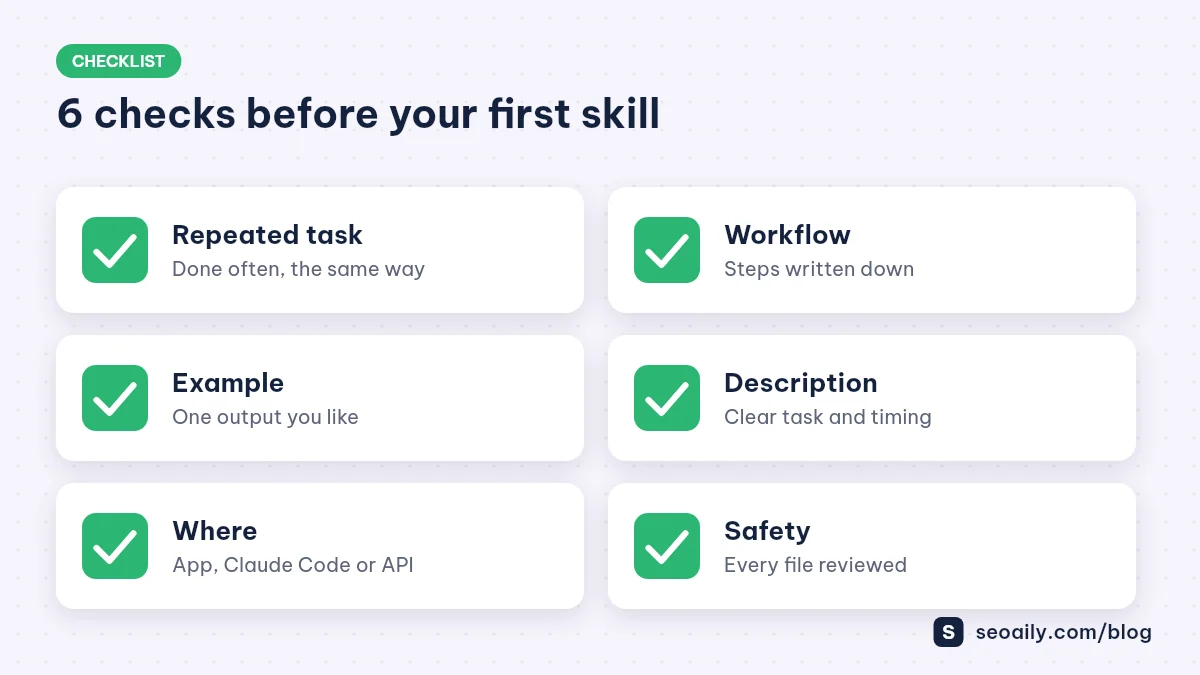
- Repeatable process: Have you selected a well-defined task that you perform regularly?
- Clear workflow: Have you documented the rules, tone constraints, and step-by-step logic?
- Reference output: Do you have at least one high-quality example of the desired result?
- Trigger-rich description: Does your description specify the task, input conditions, and everyday user phrasing?
- Target environment: Have you decided whether this skill lives in the Claude app, Claude Code, or the API?
- Safety check: Have you verified all code and commands contained inside the skill package?
Frequently Asked Questions
Can Claude skills generate actual video files?
No. Claude cannot render or export video files directly. Skills help Claude excel at text and code tasks around video production, such as scripting, subtitles, metadata, or writing code for rendering engines.
Do I need coding experience to create a Claude skill?
Not necessarily. A basic skill only requires a SKILL.md markdown file written in plain text. Scripts are only needed when you want Claude to perform deterministic calculations or strict formatting.
Do installed skills slow down Claude or consume extra context?
No. Initially, Claude only loads the skill's name and description. Full instructions are loaded on demand only when relevant, so installing multiple skills will not bloat your conversation context.
Do custom skills sync between the Claude desktop app and Claude Code?
Not automatically. Custom skills do not automatically synchronize between the Claude web or desktop app, Claude Code, and the API. You need to configure them separately in each environment.
Does Anthropic offer pre-built skills for video production?
Current documentation highlights pre-built skills for standard document formats like Word, Excel, PowerPoint, and PDF. For video production, you create custom skills tailored to your own workflow.
Conclusion: Turn Your Video Process into Claude Skills
Ultimately, claude skills let you capture your editorial standards once and execute them reliably across every project. For creators, setting up dedicated micro-skills for scripting, subtitling, and metadata cuts manual overhead and guarantees brand consistency. Ready to build your own? Read our next guide on building a custom Claude skill for video workflows.
Want to streamline your content creation immediately? Seoaily offers dedicated tools for video scripting, YouTube SEO descriptions, and text-to-speech generation. Try Seoaily for free.